$ open kedy
ANDROID
Kedy
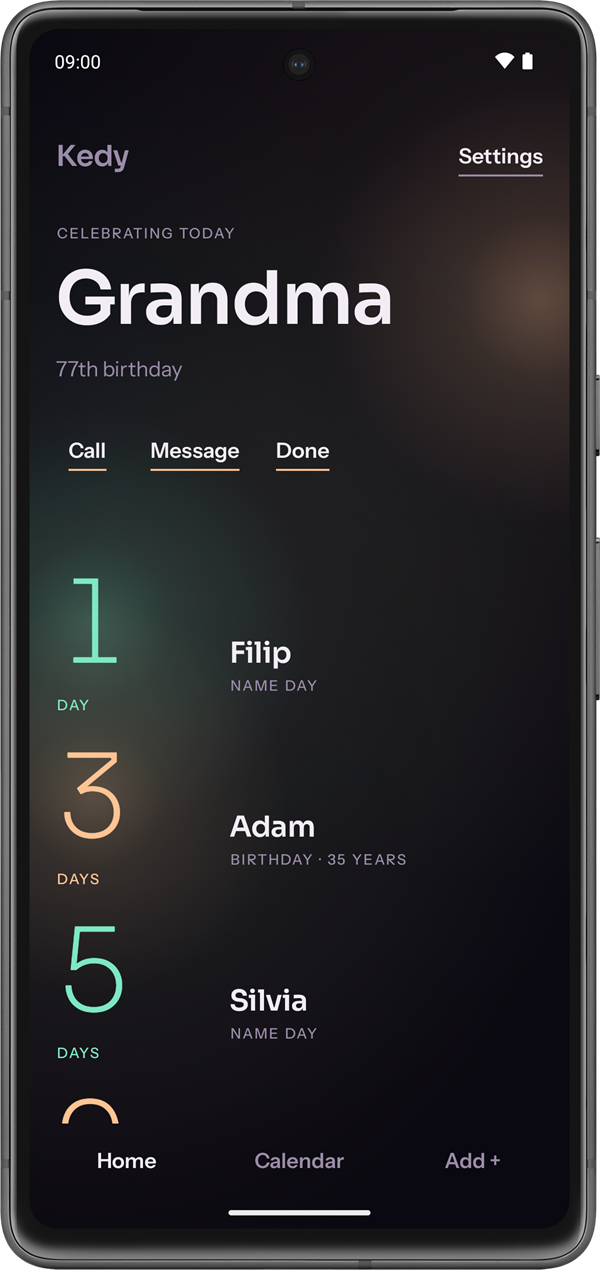
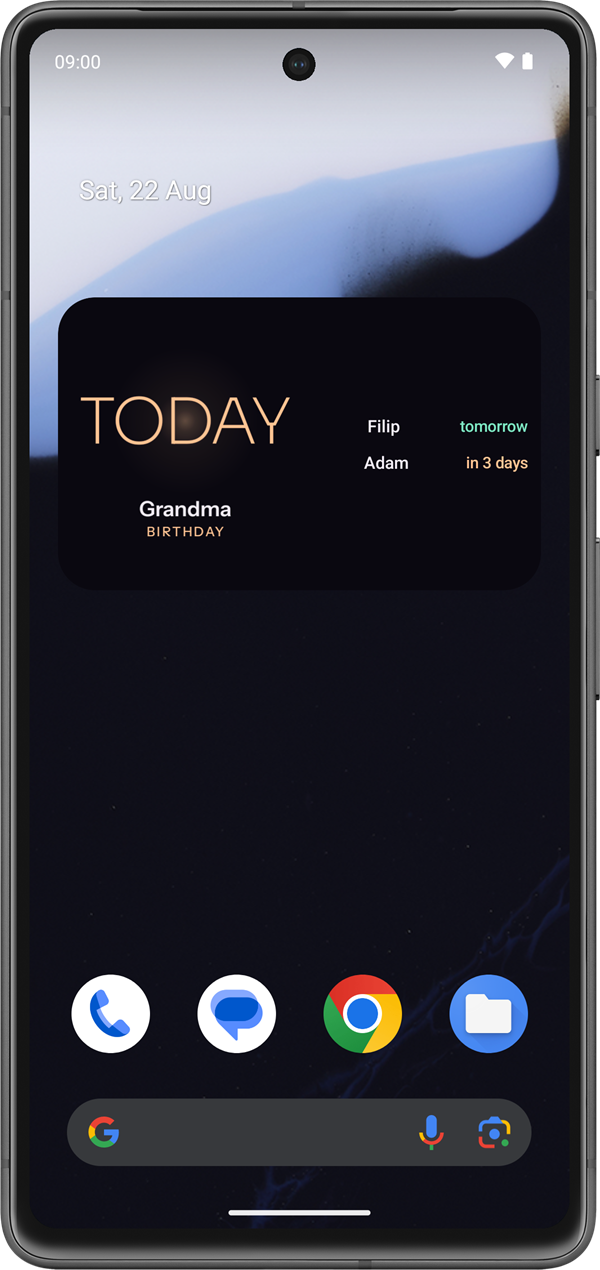
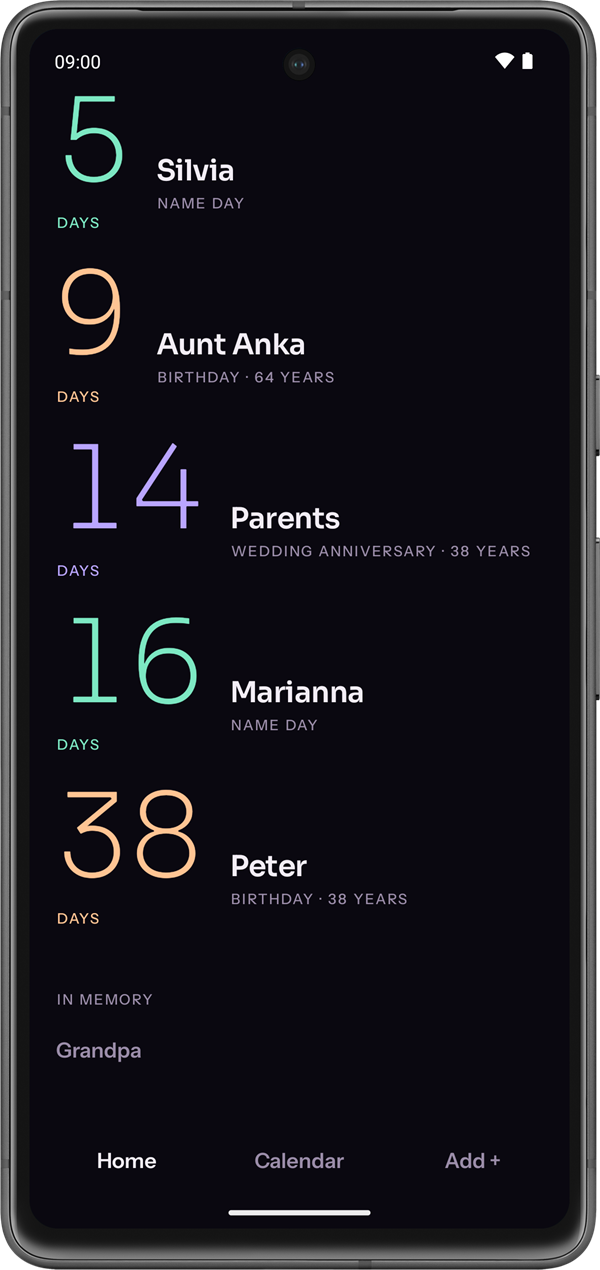
Who celebrates next, and in how many days, on your home screen.
$ cat README.md
What it does
A widget, not a task list
One name, a large thin numeral, and a light that grows brighter as the day approaches. Make the widget wider and two more names appear, along with today's and tomorrow's name days. No event dump, no checkboxes, no red.
Read is not the same as done
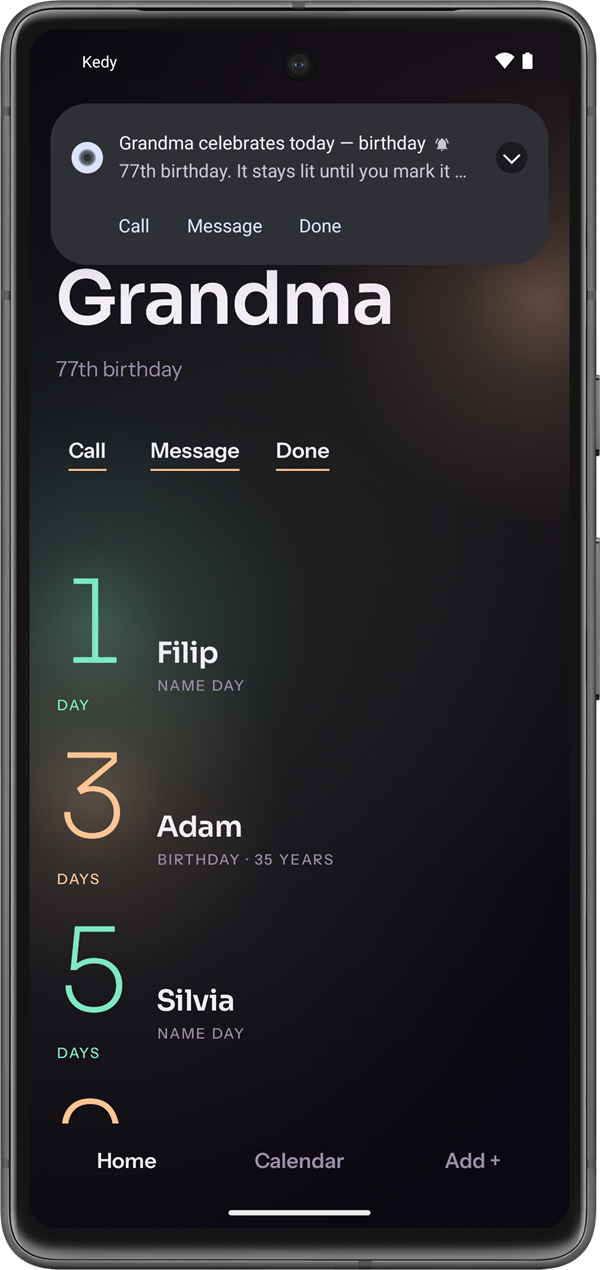
Reminders arrive 14, 7, 3 and 1 day ahead. On the day itself the notification stays until you mark it done, and it carries Message, and Call when a number is stored. Swipe it away and it comes back with the morning reminder.
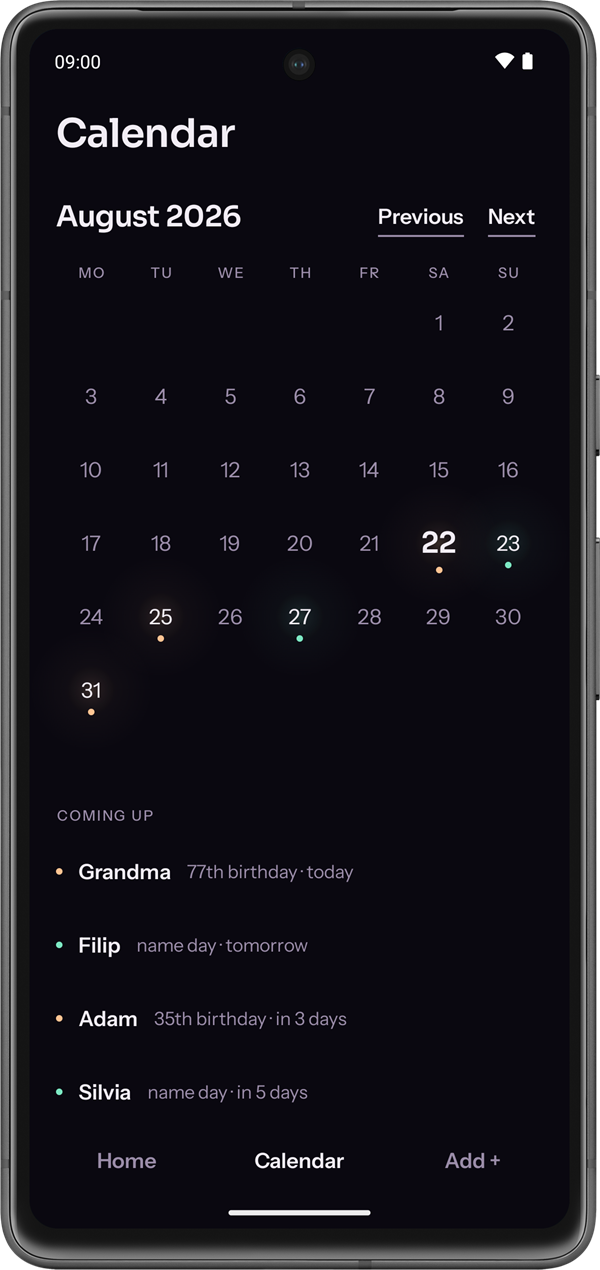
Slovak and Czech name days, offline
Both calendars ship inside the app, so name days work in airplane mode too. Settings decides which one Kedy reads, for the calendar, the widget and the add screen alike.
Your data stays on the phone
No account, no server, and the app does not ask for internet access. Contacts are read once, when you ask for the import, and no reference is kept. Backup is a single file; CSV goes through the system file picker.
$ ./join-testers kedy
Be one of the first
Kedy is in closed testing on Google Play. Three steps and one Google account: use the same one for all three, because Play matches testers by it.
Join the testers group
One Google Group opens the test for every app I have in testing. Join it with the Google account your phone's Play Store uses.
join the groupOpt in to Kedy
Open the link signed in with that same account and tap “Become a tester”.
opt inInstall it and stay 14 days
Google opens a new app to everyone once 12 testers have kept it for 14 days. Open it now and then and tell me what you find.
get it
All three happen on Google's side; nothing here asks for your email. Found a bug or have an idea? kedy@rikoapp.dev